
GoodSort
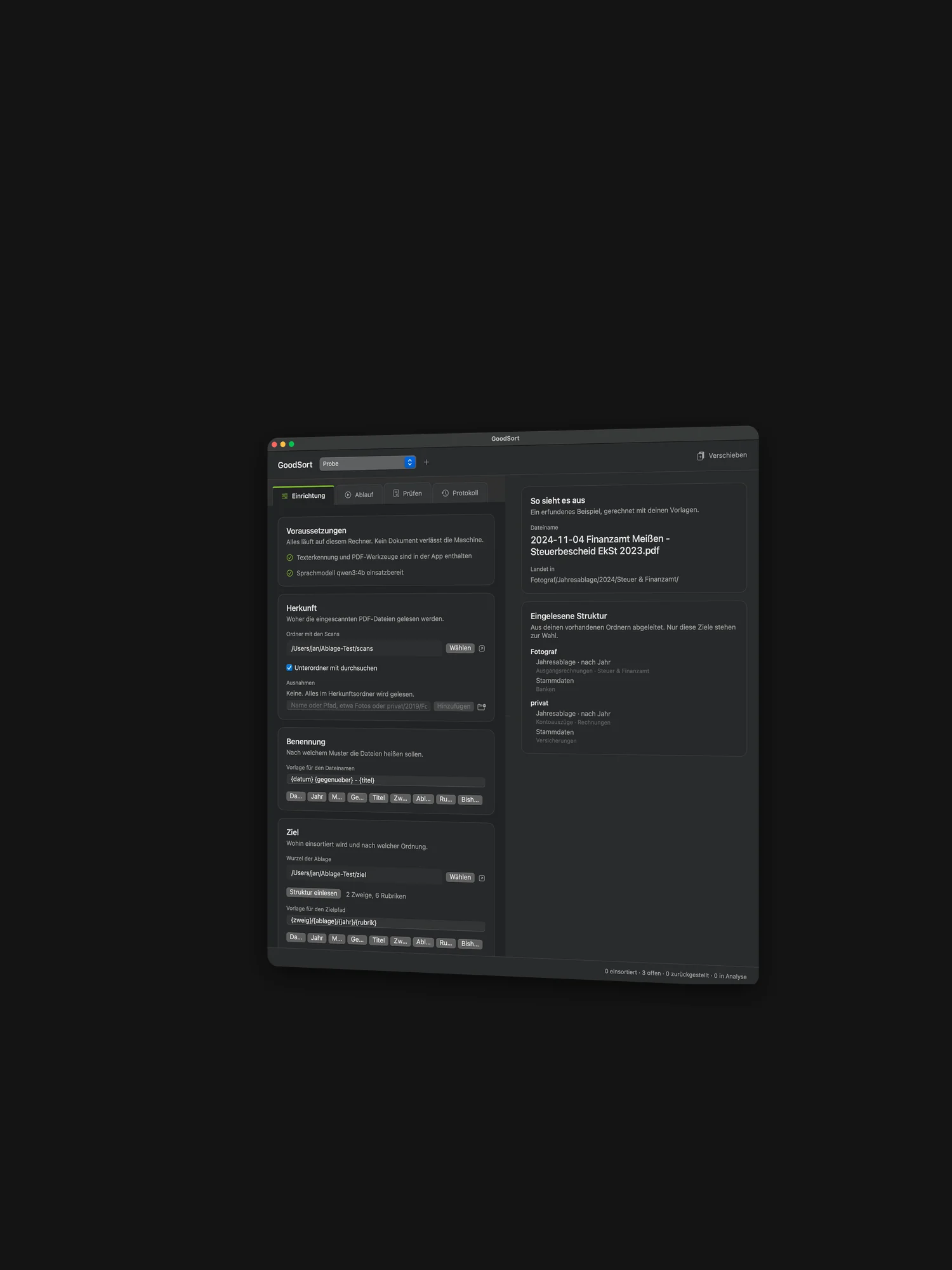
GoodSort gives scanned PDF files consistent names and files them into an existing folder structure. A local language model reads the text of every document and proposes a date, a counterparty and a title. You review each proposal on its own and either confirm it or change it.
Every correction is remembered and applied at once to all pending documents from the same counterparty. Five misread Telekom invoices therefore take a single correction.
Version 1.1 · For macOS 14 (Sonoma) or later · Universal (Apple Silicon & Intel) · free
Note for the first launch: GoodSort is a free hobby project and not notarized by Apple. That would require a paid developer account. macOS therefore refuses a double click. To allow the app: unzip it, drag it into your Applications folder, then right-click it and choose “Open”. This is only needed on the very first launch.
Do you like GoodSort? Support its development with a small donation.
What GoodSort does
Everything stays on your machine
Text recognition and language model run entirely offline. A full run works in airplane mode, which is the dependable proof. No document and no excerpt leaves the machine.
Nothing happens unasked
A run reads, recognises text and proposes a name and a destination. It moves no file at all. Only your confirmation in the review pane moves or copies anything.
Move or copy
Moving clears the source folder. Copying leaves your old filing completely intact and needs twice the space for it. You choose the mode before the run.
Every move is logged
Each session writes its own file, one line per move, straight to disk. From it a single move or an entire session can be undone. Moved files return to their old place, copies go to the trash.
Duplicates are recognised
GoodSort finds byte-identical and text-identical duplicates and clears them into a folder of their own. Nothing is deleted.
The memory learns
A confirmed assignment applies to every further document from the same counterparty. If you change a name during review, a name equation is created, say UniCredit Bank AG to Hypovereinsbank. All pending documents bearing the old name receive the new one at once.
Your folder structure sets the destinations
GoodSort reads your existing filing once. Only those destinations are then offered. The program invents no new folders.
Naming follows your own pattern
The file name is built from blocks, by default {datum} {gegenueber} - {titel}. Empty blocks vanish together with their separators. The same holds for the destination path.
Multilingual and extensible
German and English ship with the app. Every visible word lives in a single JSON file. If you need another language, you edit the right-hand column there, without rebuilding the program.
How it works
1. Set up. Choose the source folder with your scans, choose the destination folder, read in the existing structure.
2. Start a run. GoodSort reads, recognises text, finds duplicates and proposes a name and a destination. The run can be paused and resumed at any time.
3. Review. One document after another. The proposal on the left, the page preview on the right. Return accepts and moves on, U undoes the last move.
4. Look back. Every move is written to the log beside your filing and can be read there or undone.
Long runs can also be started without a window, overnight for instance.
Requirements
macOS 14 (Sonoma) or later. Text recognition and PDF tools sit inside the program, there is nothing to install for them.
The only additional software is ollama, a local model server. It is free and available at ollama.com. If it is missing, GoodSort points to it at launch and fetches the language model at the press of a button.
Feedback
Missing something, hit a snag, or just enjoying GoodSort? I am glad about every reply, a few lines are plenty.
Notes
Concept and development: Jan Gutzeit. The app is offered free of charge. GoodSort is the sister program to GoodEdit and follows the same design.
One candid point belongs here: besides the queue, the working database also holds the recognised raw text of the first pages. It therefore carries the same confidentiality as your filing itself. Once the work is done, that text can be cleared out again with a single command.