Goodtime Edit
Goodtime Edit is a deliberately lean code editor for HTML, CSS, JavaScript and PHP – built for everyone who just wants to write, without being slowed down by a bloated development environment. Open, type, watch the live preview, save. Native to macOS, fast on Apple Silicon.
The app is a free homage to Taco HTML Edit by Taco Software – an editor that taught many of us the craft. Goodtime Edit takes no code and no artwork from the original; it carries its clear, uncomplicated approach forward in a modern redevelopment.
Version 0.3.8 · For macOS 14 (Sonoma) or later · Universal (Apple Silicon & Intel) · free
Note for the first launch: Goodtime Edit is a free hobby project and not notarized by Apple – that would require a paid developer account. macOS therefore shows a warning the first time you open it. To allow the app: unzip, drag it into your Applications folder, open it once and confirm the dialog, then click “Open Anyway” under System Settings → Privacy & Security. This is only needed on the very first launch.
Do you like Goodtime Edit? Support its development with a small donation.
New in version 0.3.8
Preview edits reliably reach the code
Fixed: on real websites a text edit made in the preview was often discarded.
The app looked for the edited text in the file and appeared to find it more
than once — because the same word also occurred in attributes such as
aria-label, in comments, or as part of a longer sentence. Only
genuine visible text counts now, and when a word really does appear several
times, the preview reports which one you edited.
No more empty second window
Opening a file — via right-click in the Finder, say — also opened an empty window beside it. That blank window now steps aside as soon as a file appears; if you have already written in it, it stays. Starting the app without a file still gives you a blank document.
Files are no longer marked as edited on opening
Opening a file immediately counted as editing it, so closing it asked you to save although nothing had been typed. Only real changes count now.
What Goodtime Edit can do
Format syntax
One keystroke (⌃I) cleanly reindents your whole document – Goodtime Edit understands the nesting of your tags as well as curly braces in embedded CSS, JavaScript and PHP. New lines indent correctly as you type.
Color schemes
Syntax colors make tags, attributes, strings and comments distinguishable at a glance. Three schemes are built in – the subtle default, Classic and High Contrast – switchable in Settings, each tuned for light and dark mode.
Live preview
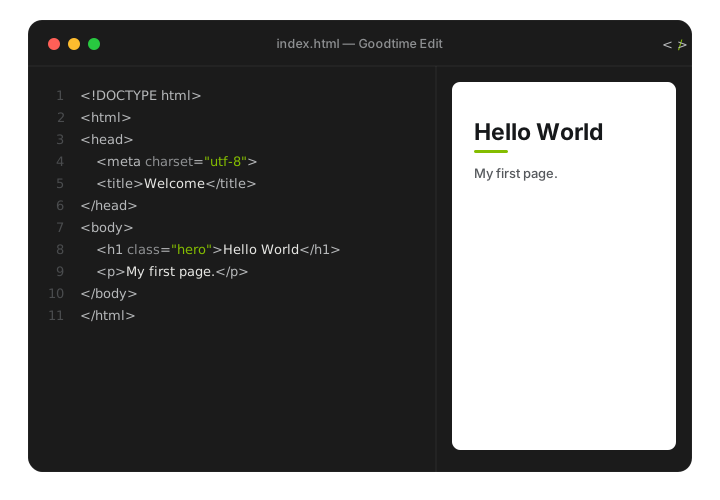
Editor on the left, preview on the right. The built-in web preview updates as you type – no round trip through the browser. And it works the other way round, too: click into the preview and edit the text right there – your changes flow back into the code instantly.
Multilingual
The interface speaks English and German and can be switched in Settings. Simple language files make it easy to translate Goodtime Edit into more languages.
Optional Claude assistant
If you like, add your own Anthropic API key and get help writing and checking code. The key lives safely in the macOS Keychain. Without a key, the app works fully.
How it works
1. Open & write. Launch the app – an empty HTML document is ready. Type in the left pane; new lines indent automatically.
2. Format syntax. Edit menu → “Format Syntax” (or ⌃I) cleans up the indentation of the whole document.
3. Toggle the preview. Use the preview button in the toolbar to show or hide the live view on the right.
4. Save. ⌘S saves as .html, .css, .js or .php – done.
You’ll find more detail in the app under Help → “Goodtime Edit Help” (⌘?).
Feedback
Missing something, hit a snag, or just enjoying Goodtime Edit? I'd love to hear from you – a quick note is plenty.
Homage & legal
Goodtime Edit is inspired by Taco HTML Edit (Taco Software) and was created in gratitude for that work. “Taco HTML Edit” and related marks belong to their respective owners; there is no affiliation with or endorsement by Taco Software. No source code and no artwork of the original were used.
Concept and redevelopment: Jan Gutzeit. The app is offered free of charge.